
KYOCERA Document Solutions


KYOCERA Document SolutionsSolution Support Page
| Q | I forgot my password. Can I reset it? |
| A |
When you have forgotten your password or want to change it, request a password reset from the login window. You can rest your password by the following the steps below. |
How to reset your password:
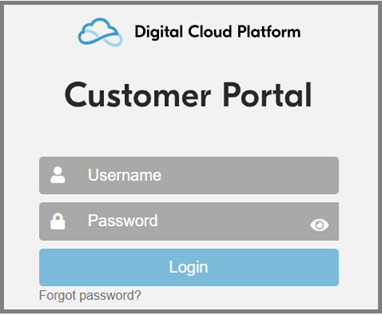
- Open the login window of the Customer Portal.
- Select Forgot password?
- Enter the username you use for the Customer Portal and click Submit.
※ Make sure to enter your username. Do not enter your email address.
※ If you are unsure of your username, please check with your administrator.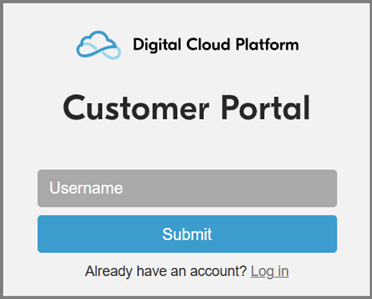
- A password reset email will be sent to the email address registered to the username.
※ You have 24 hours to reset your password before the reset link expires. - Open the email and select Reset password.
- A new browser tab or window opens. Follow the instructions on the screen to reset your password. You may be required to log in again as part of the password reset process.