
ECOSYS MZ3201ix
Operate MFPs Touchlessly
Operate efficiently without touching the MFP panel using mobile devices or IC cards.
-
Direct Print and Scan via Mobile
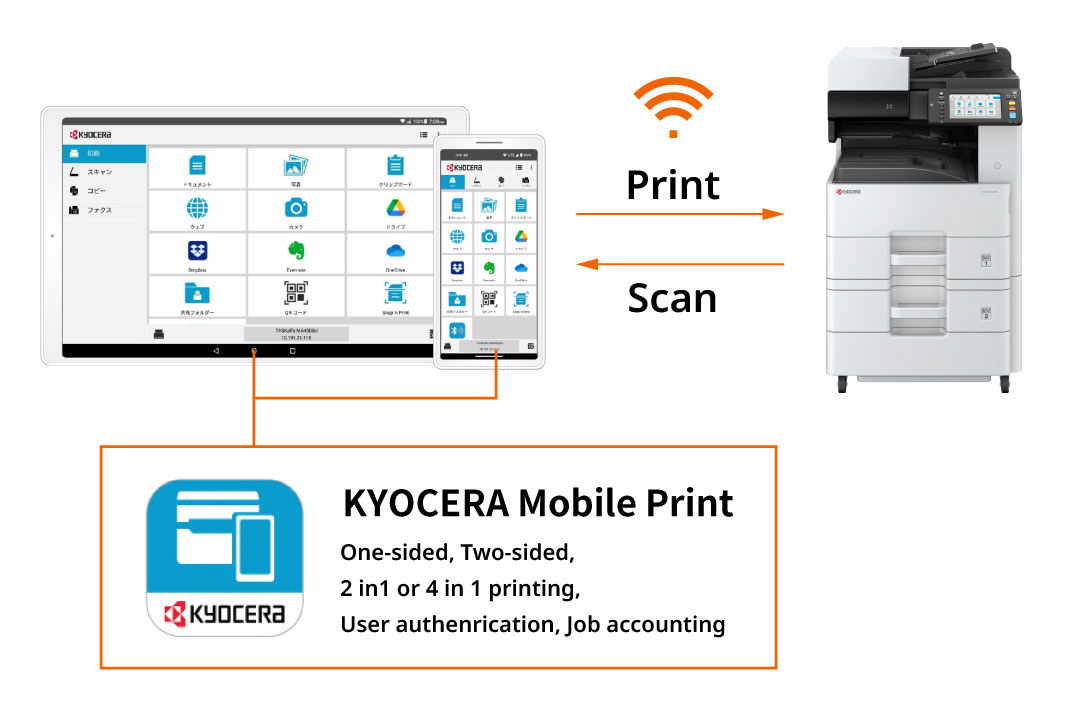
KYOCERA Mobile Print (Free mobile application)
Print image data directly from smartphones or tablets. Scan data can also be sent directly to mobile devices, allowing info input/output to be completed entirely on your mobile device.
*Optional IB-37 required. -
Operate MFP with Smart Devices
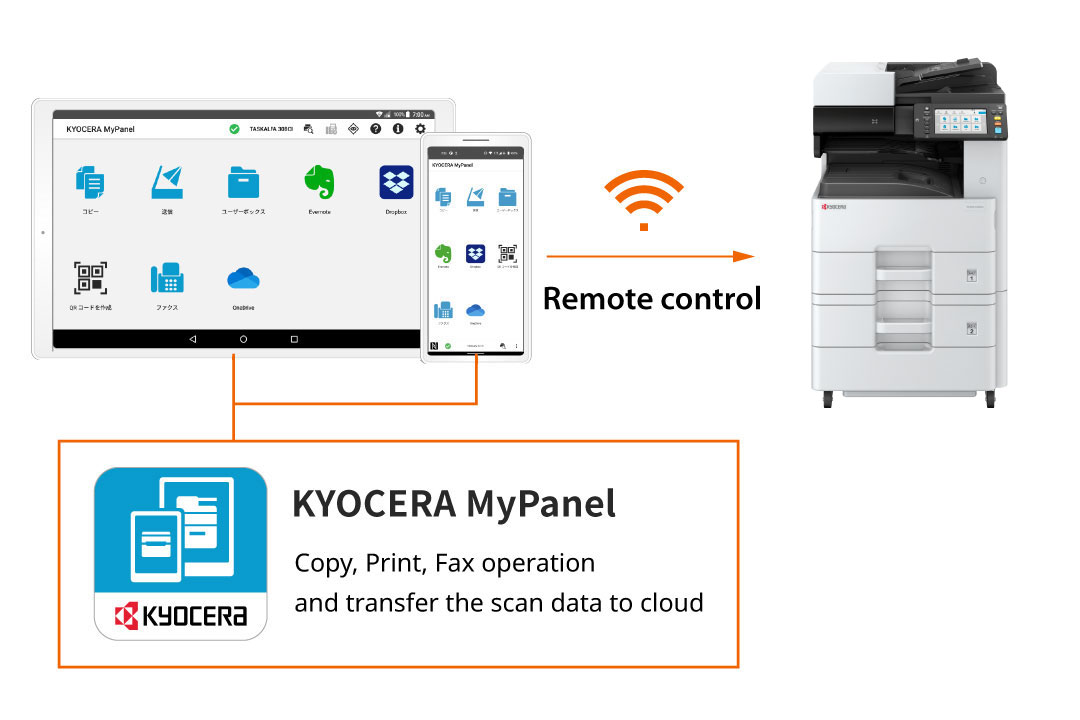
KYOCERA MyPanel (Free mobile application)
Use your everyday smartphone or tablet as your own personal MFP operation panel. You can complete tasks without touching the panel, and even operate it while seated from a distance, such as your desk.
*Optional IB-37 required.
Cloud Integration
Direct integration between MFPs and the cloud for seamless data sharing.
-
Enhancing Security and Efficiency for Diverse Work Styles
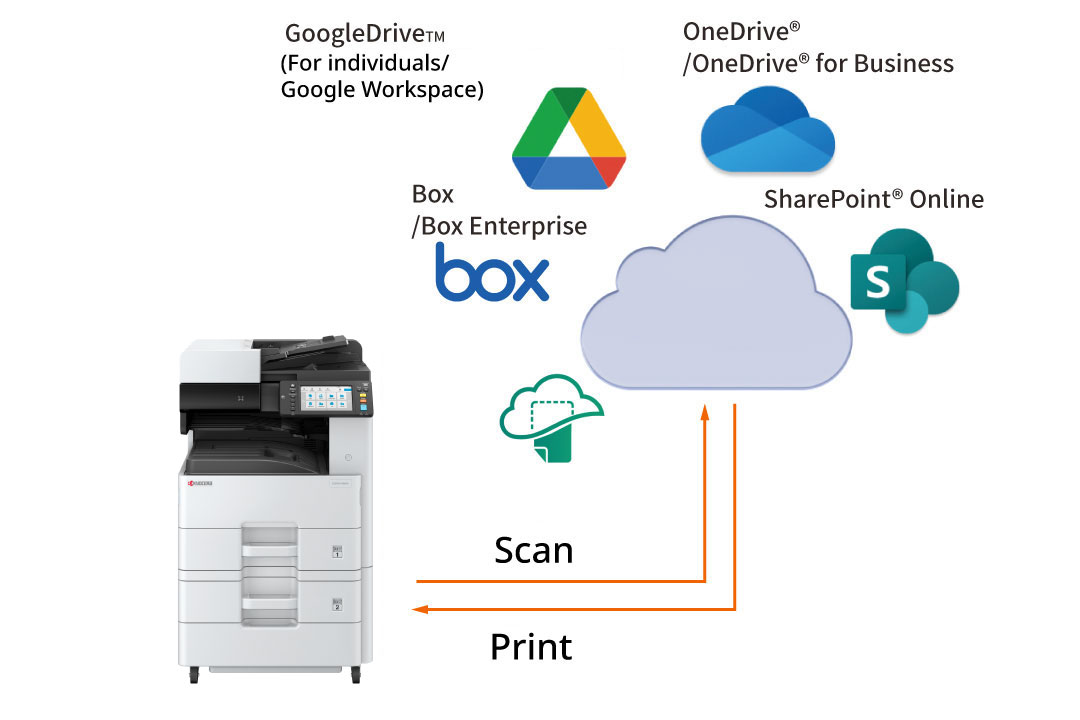
KYOCERA Cloud Print and Scan *1 *2 Click here for details
This application improves multifunction devices' scanning and printing via the cloud. Registered users can log in with a PIN or IC card to save or print documents directly from the device to the cloud. If you need a document while away from the office, simply send it to the cloud from an in-house device and access it on your mobile.
*1 Pre-installed application.
*2 A license contract is required to use the service. -
Enhancing digital transformation through cloud storage integration
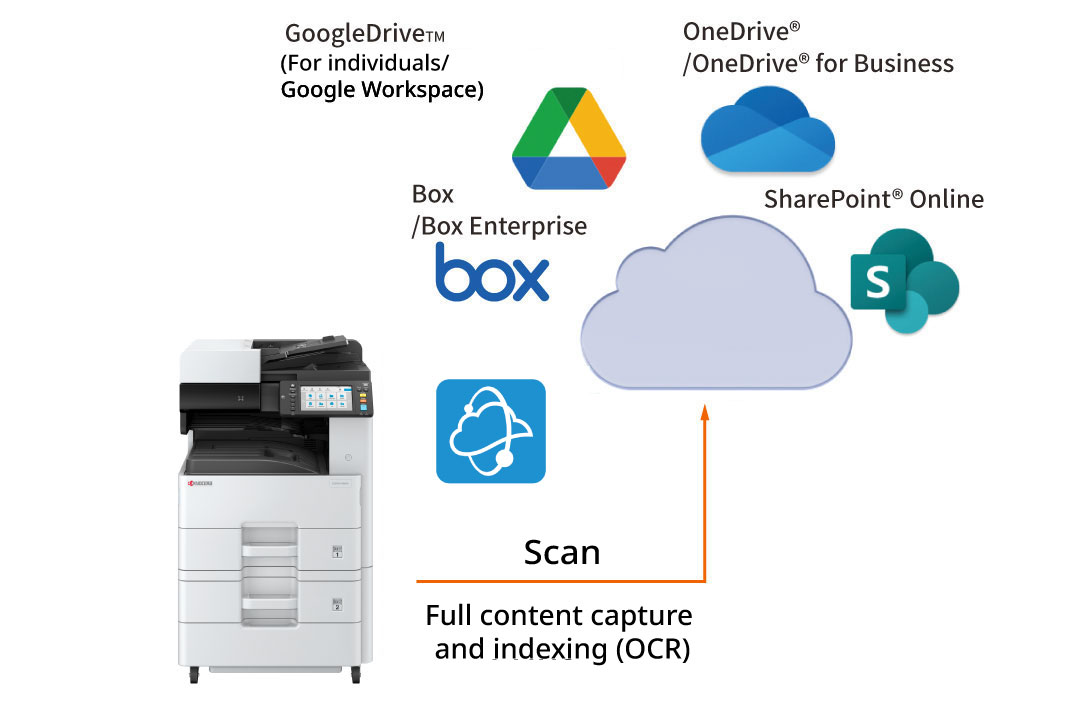
KYOCERA Cloud Capture *1 *2 Click here for details
Users can access multiple cloud services directly from the multifunction device to scan and upload documents without powering up a PC. By leveraging KCC’s full content capture and OCR-based indexing functionality, users can easily enter index metadata directly on the panel to simplify future searches. This seamless connectivity ensures efficient cloud data transfer and facilitates smooth information sharing with remote and external teams.
*1 Pre-installed application.
*2 A license contract is required to use the service.
Seamlessly connects with OneDrive for Business
KYOCERA Cloud Connect* Click here for details
Users can print and save files directly to OneDrive® for Business using the multifunction device interface. Workflows remain fast and PC-free, simplifying file transfers and enhancing team collaboration across remote locations.
*Option
Enhance document management efficiency
Digitize documents and optimize workflows.
-
Optimize document organization workflow
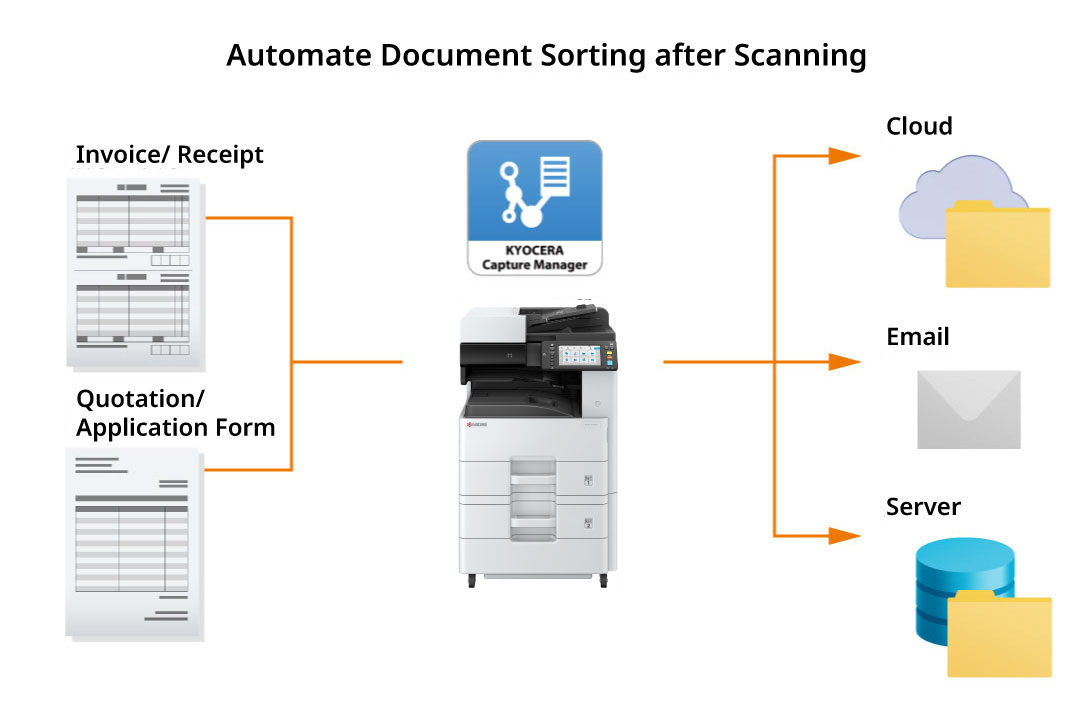
Discover the KYOCERA Capture Manager application
Automate document sorting with KYOCERA Capture Manager. This software connects to multifunction devices to streamline the sorting of invoices and data entry for high-volume documents, reducing manual effort and errors. When a document is scanned, its text, images, and barcodes are captured and sent to the cloud or system, where the data is processed and organized according to set rules for efficient registration.
*option
Leverage scanning data efficiently with OCR
Utilize OCR during scanning to improve searchability and convert documents into editable formats like Word, Excel, or PowerPoint.
*option