
TASKalfa MZ2502/MZ2202
Produce high-quality documents promptly and efficiently
-
Fast Printing
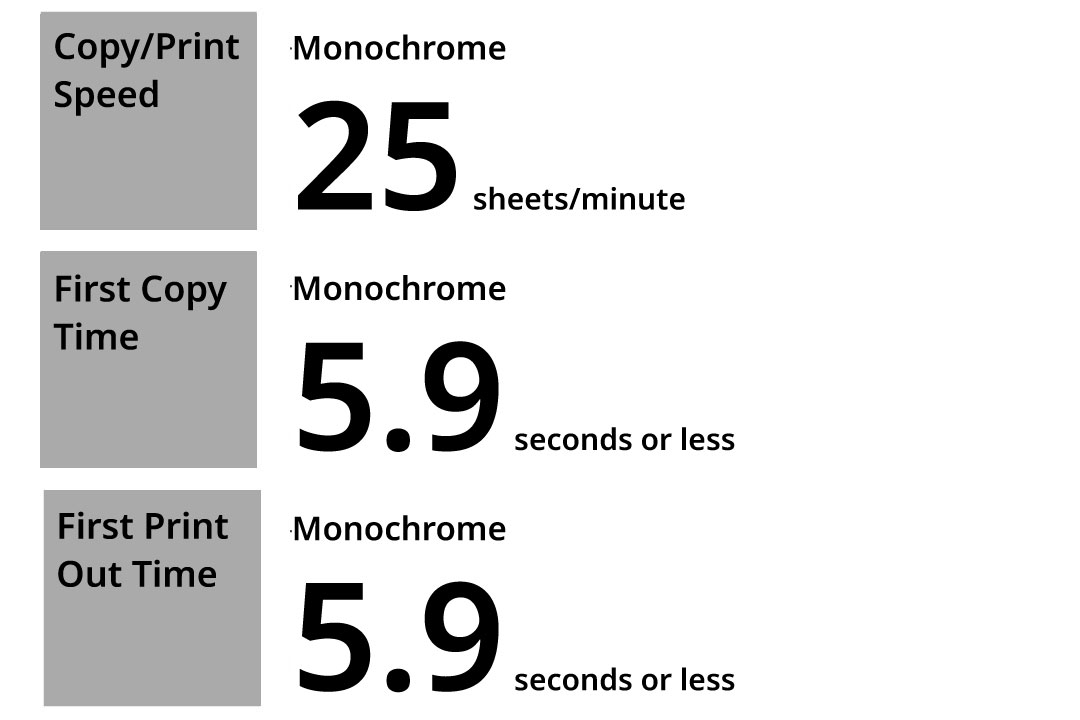
The ECOSYS MZ2502 boasts an printing speed of 25 pages per minute (A4 horizontal). Additionally, the first-out time after pressing the start button is 5.9 seconds for both copying and printing, enabling fast output even for a single sheet.
*TASKalfa MZ2202 prints up to 22 pages per minute
Completing the task exactly to your specifications.
Direct integration between MFPs and the cloud for seamless data sharing.
-
Easy ID Card Copy
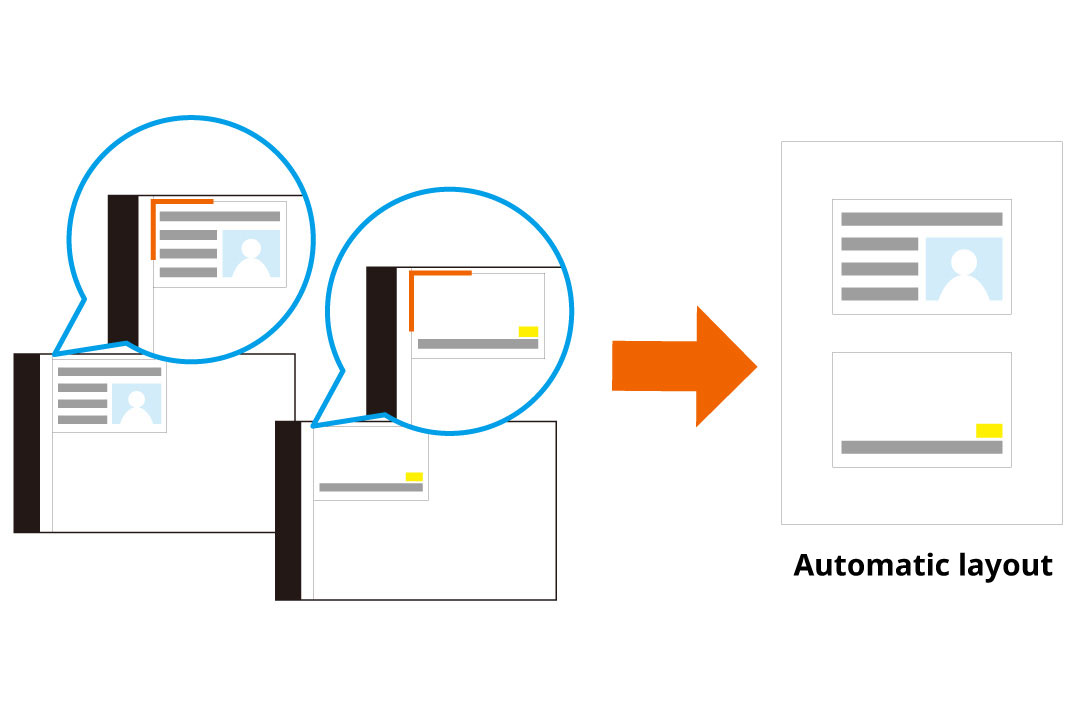
A dedicated ID card copy button is available. By placing the ID card on the platen glass according to the guidance, the device automatically recognizes and accurately copies both sides of the card.
-
Skip Blank Pages
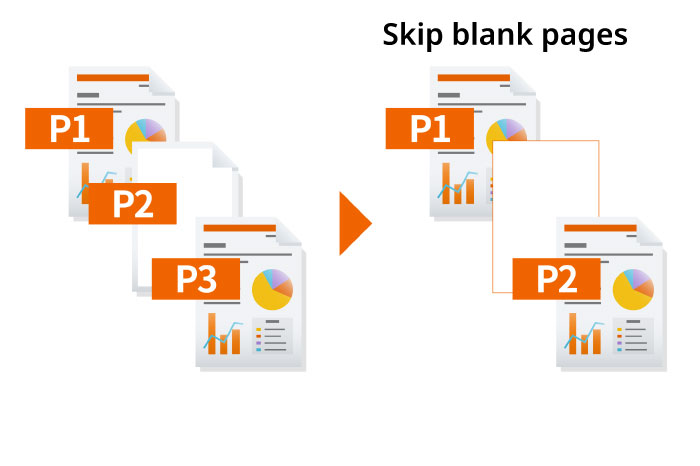
Automatically identifies and bypasses any empty pages that may be included in the loaded document. This functionality improves copy completion and also helps to conserve paper and lower printing expenses.
-
Prevents show-through on thin paper
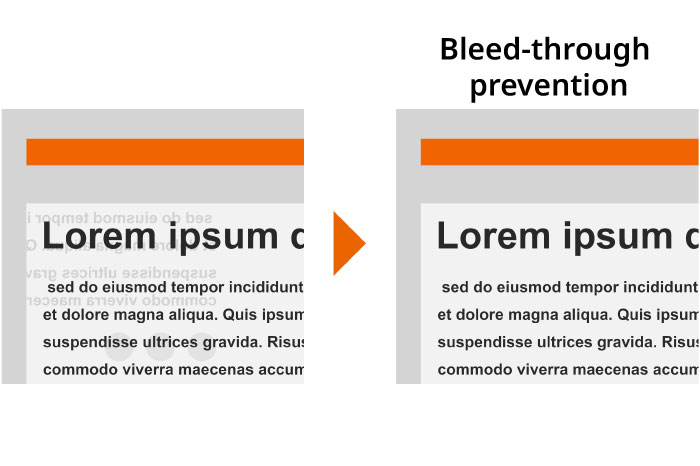
Image quality is automatically adjusted to prevent text show-through, even when using thin documents like newspapers.
Duplex printing and combine printing
Support combining two single-page originals into a duplex document, or printing multiple original sheets into one single printed page. This not only improves the appearance of documents but also saves paper and toner.
Eco Print
The Eco-Print feature allows users to adjust toner consumption in five levels during printing, easily configured from the operation panel or printer driver for internal documents and test prints.
Offers extensive document creation capabilities.
Compatible with various applications and paper formats, such as POP, poster, and envelope printing.
-
User-friendly and intuitive printer driver
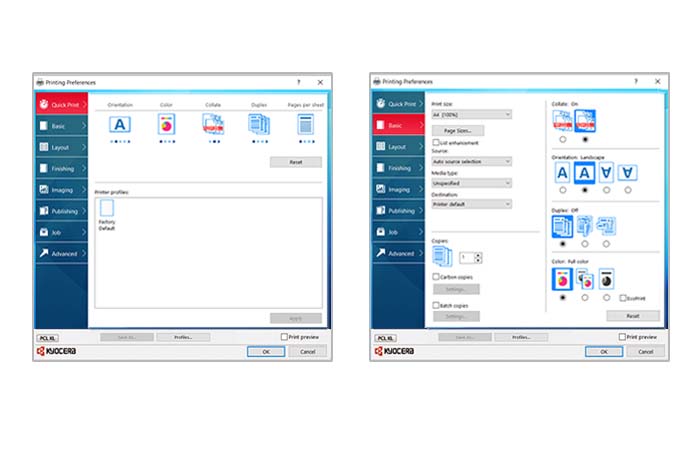
The KX Driver printer driver for Kyocera printers and multifunction devices offers commonly used settings like number of copies, color/monochrome, single-sided/double-sided, etc., conveniently located on the top screen of the driver for easy configuration. Moreover, advanced settings related to multifunction device functions such as finisher processing, departmental usage restrictions, and password settings are also accessible. (Compatible with Windows)
-
Support for Mac OS output
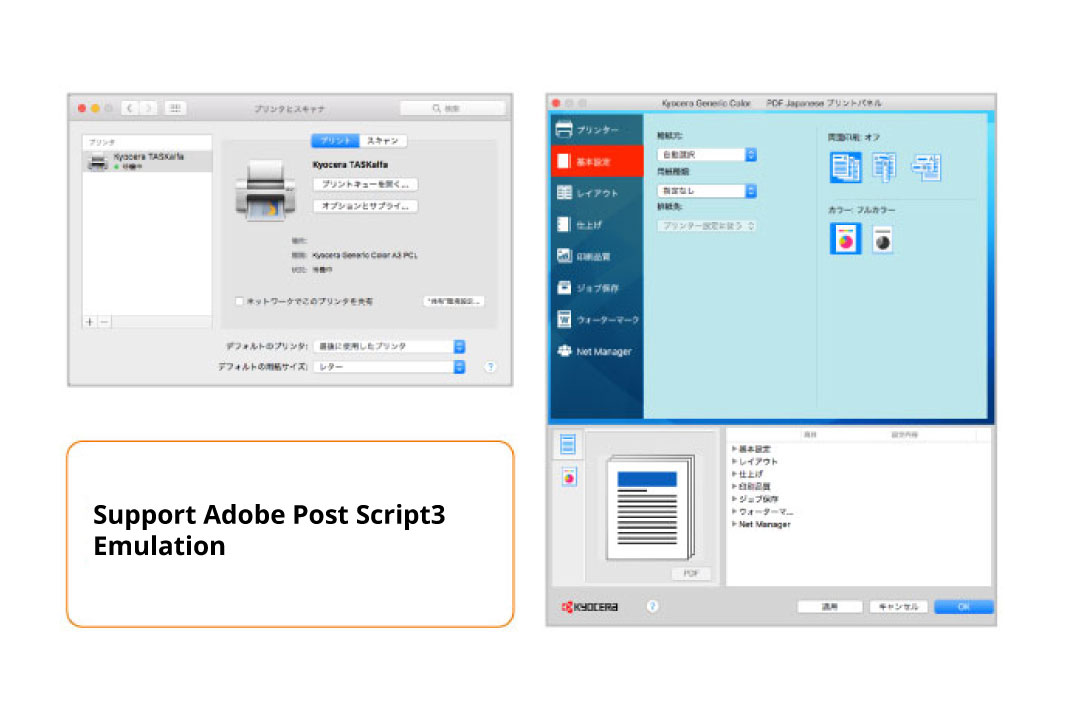
In addition to printing within a Windows setting, you can also print from a Mac or directly from a PDF file thanks to the standard compatibility emulation of PostScript3, a page description language developed by Adobe.
-
Printing from iOS and Android device
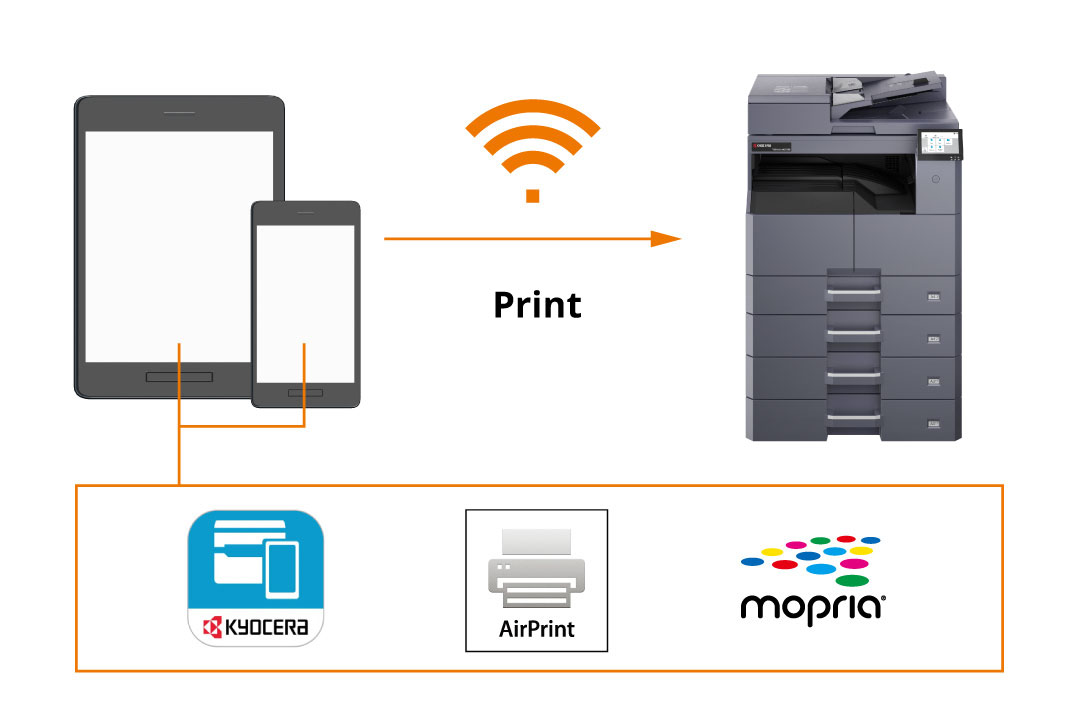
Various mobile print applications are compatible with this device, enabling effortless printing from mobile devices connected to the same network. Apart from the "KYOCERA Mobile Print" app for Kyocera devices, users can also print directly from "AirPrint" on iOS and Mac OS X, as well as from "Mopria Print Service" on Android.
*Require IB-37
Direct Print from USB Memory
Insert a USB memory stick directly into the MFP to print image data via the operation panel.
Others KX Driver Functions
Print/Layout Settings
●Number of Copies ●Duplex ●Combine (Up to 25 in 1) ●Paper Selection ●Original Size
●Reduce/Enlarge (Standard Zoom/Zoom Entry (25% to 500%)) Profiles (Save frequently used setting)
Finishing Settings
●Binding Margin ●Poster Printing ●Envelope Printing (Square, long size supported)
●Cover Page/Insert Sheets (Insertion of cover sheet, interleaving paper, index divider, and chaptering)
Extension utility
●KX Driver Add-On Plug-in (Watermark, Header/Footer Print)
●KYOCERA Net Direct Print (Send data directly to the print system via the Windows spooler without opening PDF files)
Other Settings
Carbon Copy (Separate tray or cassette paper for each page in one print job), Bulk Copy (Print jobs in batches),
Manual Feed Priority Mode, Disable Auto Cassette Change (Prevent paper feeding from the alternate tray even when input tray runs out of paper)
Other Copy/Printing Features
Document/Paper Settings
●Number of Copies ●Paper Selection ●Paper Size ●Standardize paper size for small-size documents (Business cards, licenses, etc.)
●Continuous Scan (Batch processing of files read separately) ● Specify paper feed destination and output destination
Finishing Settings
●Sorting ●Skip blank pages, skip lines ●Program copy (registered functions: ID card copy, eco copy, newspaper copy, drawing copy, confidential copy, highlighter copy, vivid copy)
Quality Settings
● Document density ●Original image (Text mode, Text+Photo, Photo, Graphic/Map) ●Eco copy (Toner saving printing)
●Background Density adjustment (Darkens or lightens overall background color) ●Contrast ●Trapping (improving white areas in images)
●Specified Color Erase ●Sharpness (Strengthens or weakens the outline)
Layout/Edit
●Double Sided/Split (Single-sided, double-sided, or double-sided documents)
●Reducing/Enlarging (Fixed Scale/Optional Scale (25%~400%) ●Aggregated Copy (2in1, 4in1, 8in1)
●Frame Erase ●Margin
Edit Settings
●ID Card Copy (Scan both sides of ID card and consolidates them onto a single sheet of paper in order)
●Enlarged Continuous Shutter (Poster Printing)