
TASKalfa MZ2502/MZ2202
Improve ease and security of sending and receiving.
Enjoy the convenience of a secure and easy-to-use touch panel interface.
Intuitive operation screen
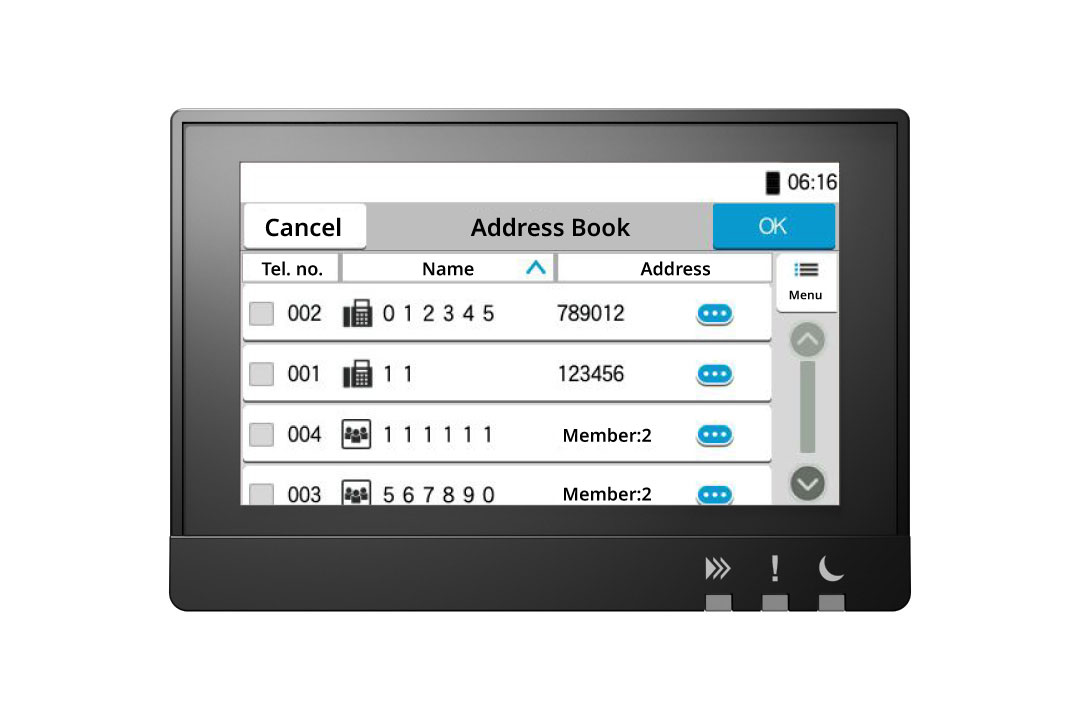
An easy-to-use, large touch panel on the device provides an easy and navigated operation with one-touch buttons, address book, and intuitative icons and text.
Up to 300 address book entries
You can register up to 300 individuals and 50 groups of numbers and addresses for fax transmission. In the groups, you can register not only fax numbers, but also e-mail addresses and shared folders on servers and PCs. Boost efficiency by creating a one-touch button to shorten the call operation for frequently used destinations. Up to 100 projects can be registered.
Prevents transmission errors resulting from input errors.
With FASEC1-compliant fax security function, you have the option to verify the entered information before sending through the confirmation screen or by double-pressing the number. Moreover, you can restrict certain settings like "entering numbers using the numeric keypad," "sending to unregistered address book numbers," "redialing," and "broadcasting."
Using digital faxing
Sending and receiving faxes electronically saves time and reduces paper waste.
-
Fax documents directly from your computer
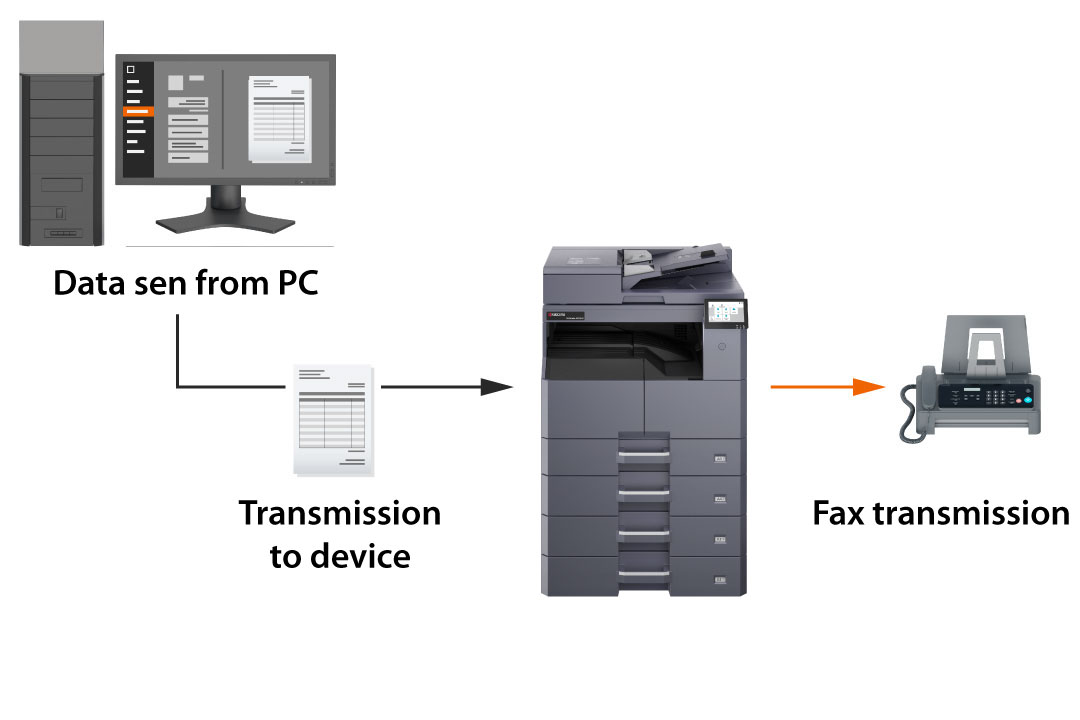
Network Fax is a feature that utilizes the print driver of a computer to transmit faxes. By sending file data directly, you can eliminate the need to physically go to the multifunction device every time you want to send a fax, enabling a paperless workflow. Moreover, this method also helps in reducing costs.
Sending received faxes using different methods
The received fax can be sent to multiple locations like other fax machines, email, folders, etc. You can also establish conditions to restrict forwarding to certain recipients. *The destination for forwarding can be any of these.
Avoiding the production of superfluous junk faxes.
Apart from instantly printing received faxes, you also have the option to preview them prior to printing. The temporary storage feature of the fax memory reception box function allows for the temporary storage of received faxes in memory. To prevent unnecessary printing, users can simply check the operation panel and choose to print only the essential documents.
Different functions developed for simple utilization.
A range of features designed to cater to the fax requirements of businesses.
Support for a wide variety of paper sizes
Supports a range of paper sizes including A3 to A5.
Small characters are transmitted clearly
When sending a fax, adjust the resolution and contrast to match the document, especially for fine details or small text.
Eliminate paper selection errors by designating the paper cassette
You can choose the cassette that supplies paper for printing. If the printer runs out of paper, it will not automatically pull from the other cassette, ensuring that it does not print on paper of a different size than the original. By setting the output destination after sending a fax, you can prevent mixing it with documents that have been copied or printed.
Simple fax installation
Streamlines fax configuration process when setting up the machine. Users can effortlessly finish the settings by following the step-by-step instructions on the operation panel and proceeding with the wizard-style operations.