
AI Printers and Document Processors | Kyocera Hong Kong
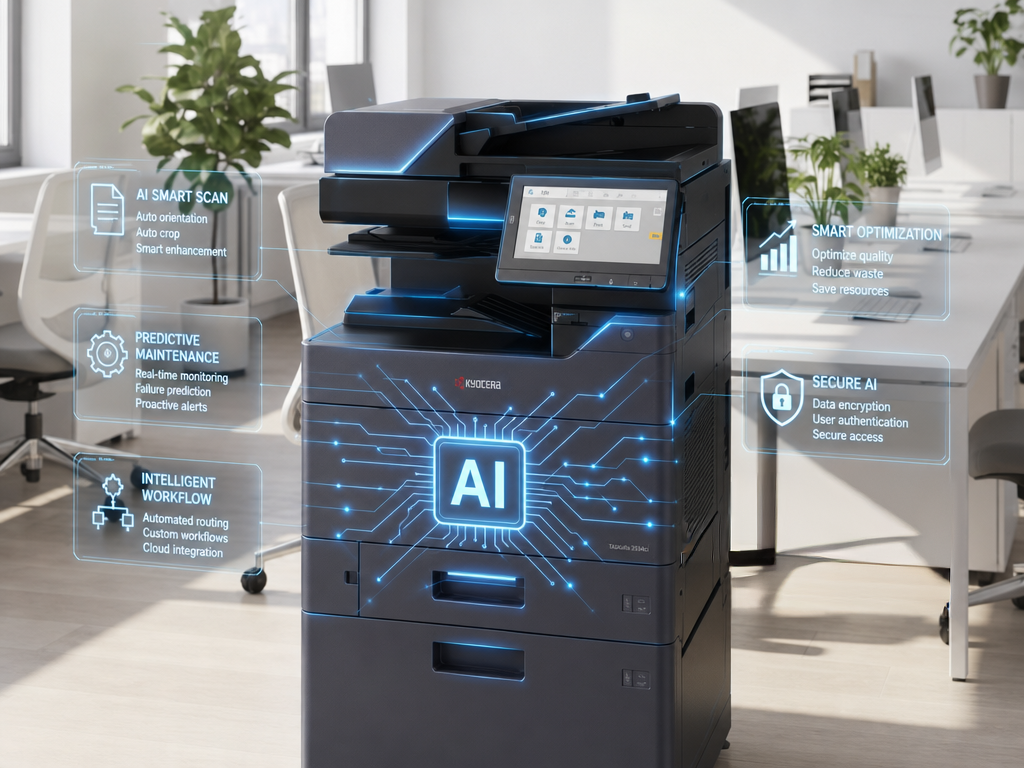
Designed specifically for office environments—whether for large enterprises, SMEs, startups, or co-working spaces—the KYOCERA AI Multifunction Document Processor seamlessly connects with various solutions and services to optimize your workflow and increase efficiency.
Utilizing groundbreaking agentic AI technology, it leverages a highly intelligent system to deliver document analysis powered by rigorous logical reasoning. By connecting fragmented information from multiple sources and performing multi-dimensional causal correlation analysis, the system thoroughly grasps the core meaning of documents. Whenever a user submits a query, the system provides well-structured, precise insights backed by solid evidence—delivering a transformative shift in operational workflows for modern enterprises and leading all industries into a new era of high-efficiency smart office operations.
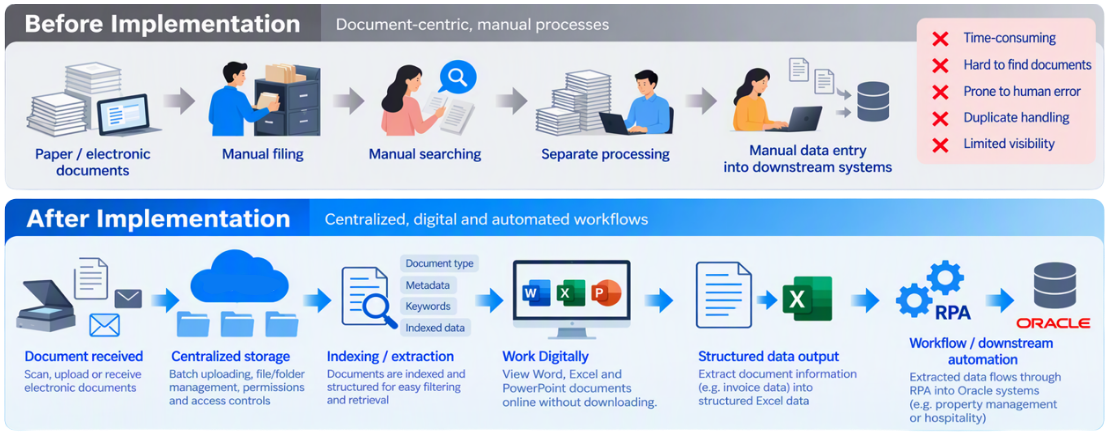
From Manual Document Handling to a Smarter, Automated Workflow
The main change is moving from document-centric manual processes toward centralized, digital and automated workflows.
Revolutionizing Traditional Workflows: AI Multi-Function Document Processor Application Scenarios
No matter which industry you are in, Kyocera's AI technology deeply understands your business pain points, transforming time-consuming manual entry into automated smart data, and significantly boosting your enterprise's operational efficiency.
Finance and Accounting
Pain Point: During month-end closing, manually verifying and entering a massive amount of invoices, receipts, and billing statements in various formats is error-prone and time-consuming.
AI Solution:
The system automatically identifies and extracts key data such as invoice numbers, amounts, and dates, directly converting them into structured tables (Excel/CSV). It can even seamlessly integrate with ERP systems, reducing reimbursement processing time by 70%.
Human Resources and Legal
Pain Point: Reviewing massive amounts of contract terms, candidate resumes, or employee NDAs makes finding specific keywords feel like searching for a needle in a haystack.
AI Solution:
Equipped with deep semantic understanding capabilities, it can automatically highlight risk clauses after scanning contracts, or extract key information like education and skills from resumes to build a talent pool. Generate document summaries with one click to improve review efficiency and accuracy.
Logistics and Import/Export
Pain Point: Bills of lading, customs declarations, packing lists, and other documents are diverse and vary in format, making manual archiving and data entry into customs systems extremely slow.
AI Solution:
Without needing predefined templates (Template-free), the AI can automatically identify document types and accurately extract information such as cargo details, weight, and consignor/consignee. It automatically classifies and archives documents, accelerating customs clearance and logistics scheduling.
Frequently Asked Questions
How should businesses compare printer recommendations, company copiers and AI printers?
When searching for printer recommendations or company copiers, businesses can first define printing, copying, scanning, document types, user numbers and management needs, then compare official product information. The suitability of an AI printer should also be checked against the latest Kyocera information. For more information, see: AI multifunction document processor.
What should businesses consider when comparing copier rental, copier rental options and office copier rental?
When comparing copier rental or office copier rental, check the equipment scope, print volume, consumables, maintenance, contract period and support arrangements rather than judging by the monthly fee alone. Actual rental terms must follow Kyocera official information or the contract. For more information, see: AI multifunction document processor.
How should businesses compare printer rental and Printer rental providers?
There is no single answer to which printer rental provider is best. Compare printer rental arrangements by functions, document workflows, service terms, location and long-term cost. The final service scope should be confirmed by Kyocera. For more information, see: AI multifunction document processor.
How can an AI document processor work with an office document workflow?
An AI document processor can provide an entry point for reviewing document input, processing and management. Its actual functions, supported formats and suitable applications must be confirmed through the latest Kyocera information. For more information, see: AI multifunction document processor.
How should businesses assess AI printers and AI connectors within a document workflow?
AI printers and AI connectors are product and workflow search terms that may relate to document processing and system connection. Businesses can first map printing, scanning, document management and connection needs, then assess the confirmed Kyocera product and service scope. For more information, see: AI multifunction document processor.