
ECOSYS
ECOSYS PA4000wx/PA4000x
以低成本享受高品質
京瓷獨家碳粉與原廠感光鼓,使顧客能夠以低成本享受高品質輸出。
-
讓圖像的精緻細節完美再現
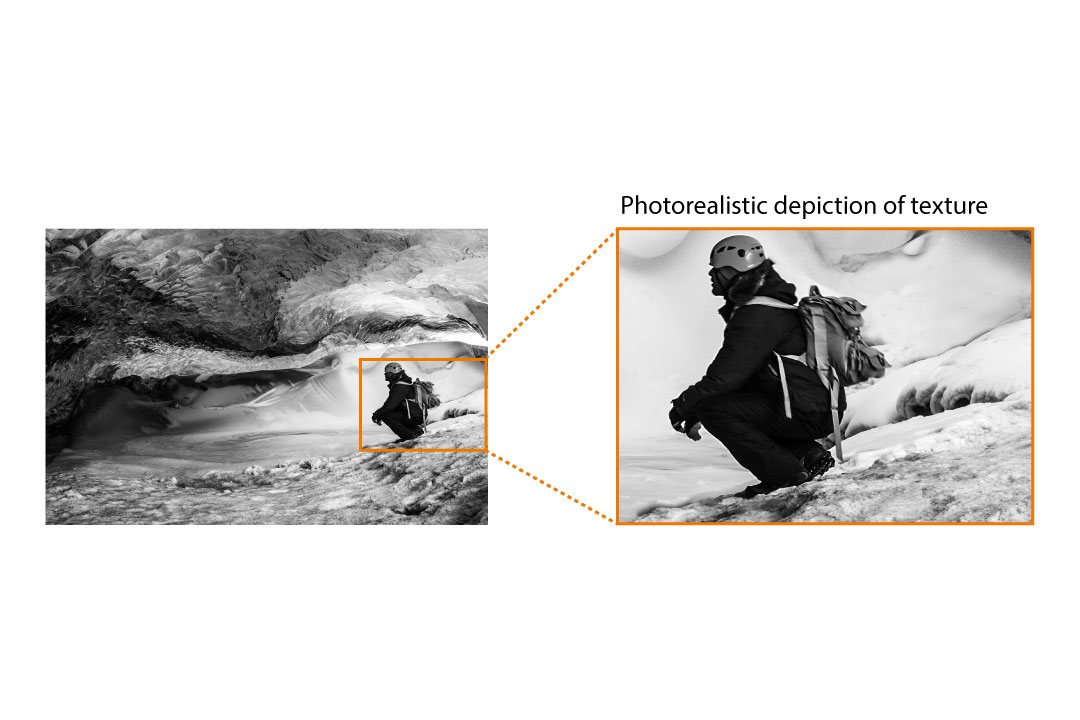
1,200 dpi 列印解析度,即使是較小的文字與細線,也能清晰細緻地再現。
支援各種列印工作
支援多種用途的列印工作,例如:信封或明信片等。
在各種類型的紙張上列印
進紙匣支援 A4 至 A6* 尺寸、重量 60 - 120 g/m2 的紙張。手送進紙匣支援 重量 60 - 220 g/m2 的紙張,方便列印較厚的信封或明信片等紙材。列印驅動程式中有預設的標準信封尺寸和厚度設定,能夠輕鬆地完成信封列印。
海報列印功能
可以放大單頁圖像,將放大的圖像分割成數頁並分別列印到數頁紙張上。將多頁紙張黏貼在一起,即可完成大型的海報。
雙面列印與合併列印
可將兩份單面原稿合併為一份雙面文件,也可以將多份原稿合併為一頁列印文件,有效節省紙張與碳粉。
支援各種不同的作業環境
隨時隨地在各種裝置與環境下進行資料輸出。
簡單方便的列印驅動程式
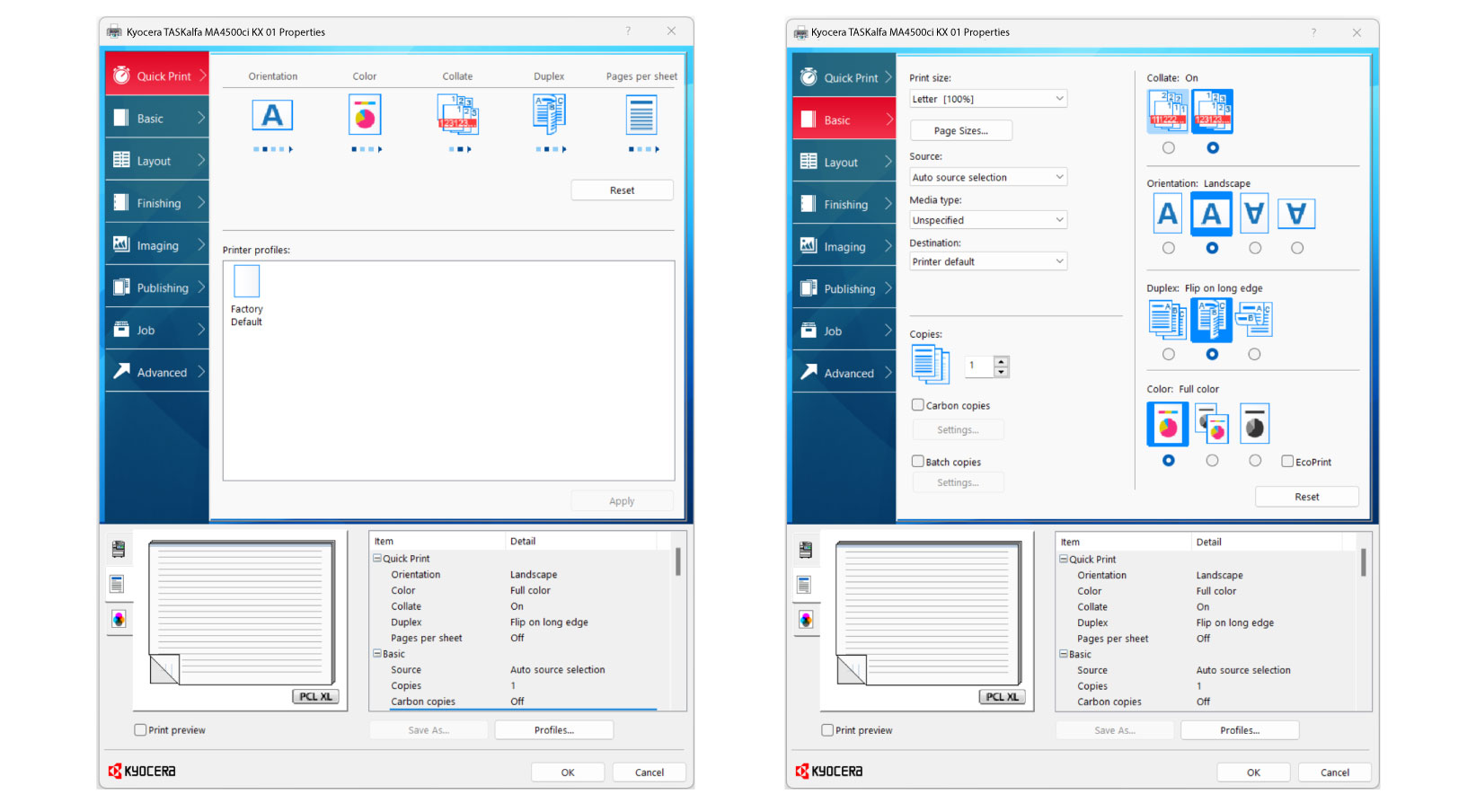
京瓷精心設計的打印機驅動程式「KX Driver」,提供各種常用的文件列印選項,例如:份數、單/雙面列印等,能夠快速設定。此外,您可以進行更細微的列印設定,例如:插入封面、插入分隔頁等,也可以進一步設定部門使用限制和設定密碼。(與 Windows 系統相容)
Others KX Driver Functions
Print/Layout Settings
● Number of Copies ● Duplex ● Combine (2 in 1, 4 in 1) ● Paper Selection ● Original Size ● Reduce/Enlarge (Standard Zoom/Zoom Entry (25% to 400%)) ● Profiles (Save frequently used setting)
Color/Quality Settings
● Color settings (fcolor, monochrome) ● Graphic details settings (adjust the gradation, compression level, etc. to adjust the visual effect of the image) ● Color reproduction mode (optimize the reproduction of characters and colors according to the printed document) ● Print characters in black ● KIR mode (Kyocera's unique image smoothing function) ● Gloss mode (gloss mode) ● EcoPrint (toner-saving printing)
Finishing Settings
● Margin ● Poster Printing ● Envelope Printing (Square, long size supported) ● Cover Page/Insert Sheets (Insertion of cover sheet, interleaving paper, index divider, and chaptering)
Job (saving print data in the printer)
● Private Printing ● Proof Priinting ● Job Box (storage of frequently used print jobs) ● Quick Copy Box (facilitates additional prints of printed documents) ● Custom Box
*A SD or SDHC memory card is required.
Extension utility
● KX Driver Add-On Plug-in (Watermark, Header/Footer Print) ● KM Net Direct Print (Send data directly to the print system through the Windows spooler without opening a PDF file)
Other Settings
Carbon Copy (Separate tray or cassette paper for each page in one print job), Bulk Copy (Print jobs in batches), Manual Feed Priority Mode, Disable Auto Cassette Change (Prevent paper feeding from the alternate tray even when input tray runs out of paper)